Follow this step-by-step guide to configure your Epiphan hardware encoder for live video streaming to your Primcast RTMP server. Get your broadcast live in just a few minutes.
Follow each step carefully to configure your Epiphan encoder and start live streaming to your Primcast video server.
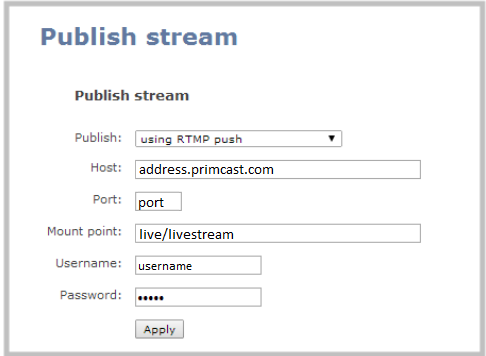
Log in as admin to your Epiphan web interface. Go to the Publish Stream section and click Publish. Select RTMP push from the drop-down menu.
Enter your Primcast stream address, port, and mountpoint — the path follows the format application/streamname (for example: live/livestream). Make sure to also enter your Primcast username and password for stream authentication.
 Expand
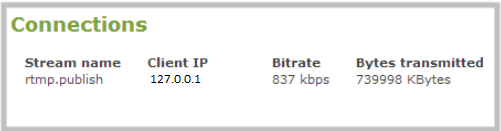
After saving the Publish Stream settings, open the Connections tab in your Epiphan encoder console. The active stream will appear as rtmp.publish, confirming that your encoder is successfully connected and streaming to your Primcast server.
 Expand
Common questions about setting up and streaming with the Epiphan encoder and Primcast.