Streaming a DEVA Broadcast encoder: the plan it needs, the five values, and what to check
For anyone with a DB90-TX, DB91-TX, DB9000-TX or DB9009-TX who needs the other end of the wire: a radio station on our Icecast servers in New York or Bucharest. Work down the sheet in order. We do not sell the encoder; we run the station it talks to, and every figure below is read from the same table the checkout uses.
Definition. A DEVA IP audio encoder connects to a Primcast radio station as an Icecast source client, on every plan. The plan is set by the quality step you choose in the box: HE-AAC quality 1 fits the Free plan (32 kbps ceiling, $5 once), MP3 quality 1 to 3 needs Premium ($39 a month, 128 kbps), MP3 quality 4 to 6 needs Platinum ($79 a month, 320 kbps). Address without http://, mount stream with no slash, username source, your source password. The DB90-TX and DB9000-TX are Icecast sources only; the DB91-TX and DB9009-TX also speak SHOUTcast v1.
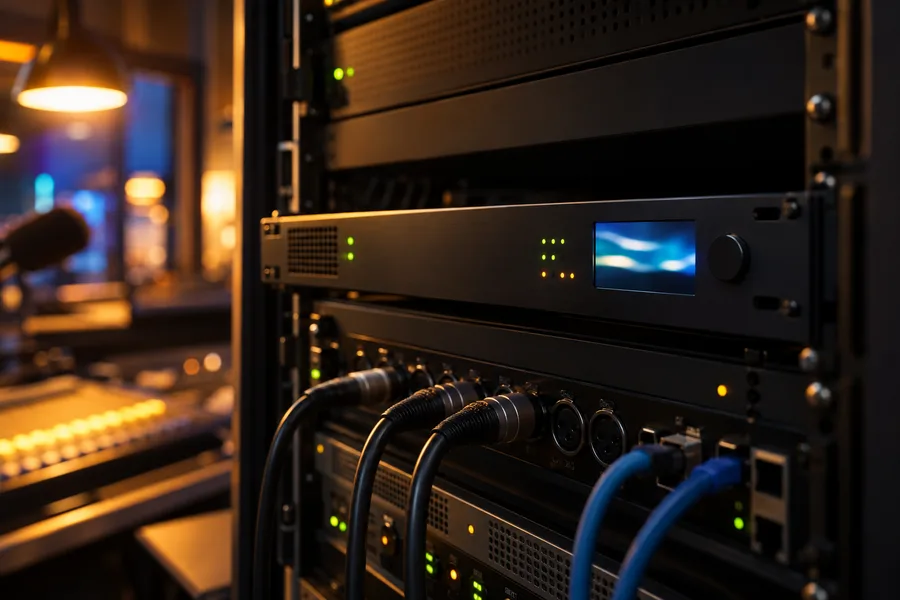
Before you plug in
Four things to know about the box that decide everything below.
- It is an Icecast source.Every new Primcast station runs Icecast, so the box logs in as it is. The DB90-TX and DB9000-TX cannot be a SHOUTcast source, per DEVA's own FAQ; never flip a station they feed to SHOUTcast. The DB91-TX and DB9009-TX can, in v1 mode, to the server port plus one.
- Its bitrates are stepped.MP3 at 64, 96, 128, 192, 256, 320 kbps; HE-AAC up to 88 kbps. MP3 cannot go below 64, so the Free plan's 32 kbps ceiling is reached with HE-AAC at quality 1.
- It sends no song titles.No DEVA encoder has a title field. Titles come from your playout software through Icecast's metadata update, or from Auto DJ while it plays.
- Its factory password is not your station's.A DB9000-TX ships with
passas its Icecast password. Replace it with the source password the panel prints, or the box will never connect.
The plan finder
Set the codec, the quality step and your busiest hour's audience. The plan and its price read out from the checkout's own table.
The plan this setting needs
Premium $39 a month
MP3 at 128 kbps is inside Premium's 128 kbps ceiling, and 500 listeners at once are inside its 2,500.
Open a Premium station Every plan side by side
Prices are the checkout's, read from the same table. The box's own six quality steps and codec ceilings are the maker's, from its manuals.
The five values
From the Go live tab of your station in the Primcast dashboard, Radio section, Encoder settings block. Copy buttons on each; Show reveals the password.
- Open the right page in the box.DB90-TX and DB9000-TX: Configuration, IP Audio, Icecast Source Client Settings. DB91-TX and DB9009-TX: Settings, IP Audio, IP Audio Sender 1, type Icecast Source Client.
- Address without http://.The bare host the panel prints, for example
ny1.radio.primcast.com. DEVA's setup sheets say so. - Mount point without the slash.Type
stream. The manuals give the example "stream9, instead of /stream9". - Username source, your source password.DEVA notes the username usually cannot be changed; ours is
sourceon every station. - Codec and quality to match the plan.HE-AAC quality 1 on Free; MP3 quality 1 to 3 on Premium; MP3 up to 6 on Platinum. On the DB91-TX and DB9009-TX leave Senders 2 and 3 off; Platinum's lighter phone copies are made on our side.
| Field in the box | Straight to your station, every plan | Closest server, Platinum |
|---|---|---|
| Type | Icecast Source Client | Icecast Source Client |
| Address | your station's server, printed on the Go live tab, for example ny1.radio.primcast.com, with no http:// | ingest.radio.primcast.com |
| Port | your station's port | 14000 |
| Mount point | stream on a new station, exactly as the Go live tab prints it, with no leading slash: the box adds one itself | station number/stream |
| Username | source | source |
| Password | your source password (press Show in the panel) | the same password |
| Codec and quality | HE-AAC quality 1 on Free; MP3 quality 1 to 3 on Premium; MP3 quality 1 to 6 on Platinum | the same |
The plan ceilings are 32, 128 and 320 kbps. A Free station's encoder that goes over its ceiling is disconnected and the panel says why. On the DB91-TX and DB9009-TX the same values go into IP Audio Sender 1; leave Senders 2 and 3 off, because the lighter copies of a Platinum stream are made on our side. A Primcast source password is 16 characters long; one DB9000-TX would not take it until our team set a 15-character one, so if the box refuses the password, ask in the chat for a shorter one.
Check it is on air
Three looks, in order, and the three faults that explain nearly every "connecting" that never ends.
- The box's Status page shows the source as connected.Its headphone jack also speaks the box's IP address at boot, if you need to find it on the network.
- The panel's Overview shows the source and the first listener.Open the https:// listen link in a browser. If it plays, your website player, apps and directories will play it too.
- If it connects and drops after a few seconds:the stream is over the plan's ceiling (a Free station's encoder over 32 kbps is disconnected and the panel says why), the mount has a slash or a different name, or the password is still the factory one.
When the studio drops
The box does not crash; the line and the console sometimes do. What each plan does about it, and what the second-generation boxes add.
Auto DJ takes the air the moment the encoder drops, plays your music, and hands the air back when the box reconnects. Listeners stay connected.
A standby slot for a backup encoder, and the option to send to ingest.radio.primcast.com port 14000, answered by the closest of five cities.
A main and a backup audio input; the box switches on silence with a threshold and timeout you set, so a dead console never reaches the stream.
No Auto DJ: the station is silent until the box reconnects. The panel emails you when nothing is on air, on every plan.
Feeding the transmitter site from the same server
DEVA's setup guides describe an Icecast distribution server between a TX at the studio and an RX at the site. Your station is that server.
- Point the DB91-RX, DB9009-RX or DB9000-RX at the plain http:// copy of your listen link.The panel prints it beside the https:// one. DEVA's decoders mention no HTTPS.
- Keep the decoder on the main MP3 stream.It counts as one listener against the plan's number at once. A DB3010 confidence monitor also wants MP3, not AAC.
- Give the public the https:// link.It plays inside any secure page, app or directory. See SSL radio streaming.
The four models
What each sends, from the maker's pages. All four connect to a Primcast station the same way.
| Model | DB90-TX | DB91-TX | DB9000-TX | DB9009-TX |
|---|---|---|---|---|
| Case | compact | compact | 1U rack | 1U rack, OLED display |
| Audio in | 2x RCA, S/PDIF | 2x RCA, S/PDIF | 2x XLR, AES/EBU | 2x XLR, AES/EBU |
| Icecast source | 1 stream | up to 3 | 1 stream | up to 3 |
| SHOUTcast source | no | yes, v1, server port + 1 | no | yes, v1, server port + 1 |
| Codecs | MP3, HE-AAC, PCM | MP3, HE-AAC, PCM | MP3, HE-AAC, PCM | MP3, HE-AAC, PCM |
| MP3 steps | 64, 96, 128, 192, 256, 320 kbps | |||
| HE-AAC ceiling | 88 kbps | |||
| Backup audio input | no | yes, switches on silence | no | yes, switches on silence |
| Song titles sent | none; see the questions | |||
| Primcast plan | any; Free with HE-AAC | any; Free with HE-AAC | any; Free with HE-AAC | any; Free with HE-AAC |
Read from the maker's product pages and manuals on 21 October 2026: DB90-TX, DB91-TX, DB9000-TX, DB9009-TX; the Icecast settings sheet DEVA publishes for the DB90-TX, DB91-TX and DB9000-TX and for the DB9009-TX. None of the four is on DEVA's legacy list.
06Questions
What DEVA owners ask before they order
Short answers, each one quotable on its own. The figures are the plan's, read from the same table the checkout prices from.
Which Primcast plan does a DEVA encoder need?
It depends on the bitrate you set in the box. HE-AAC at 24 kbps fits the Free plan's 32 kbps ceiling. MP3 at 64, 96 or 128 kbps needs Premium ($39 a month, 128 kbps). MP3 at 192, 256 or 320 kbps needs Platinum ($79 a month, 320 kbps). The plan finder above does this sum for you; the full plan ladder is on radio hosting.
Can a DB90-TX or DB9000-TX send to a SHOUTcast server?
No. DEVA's own FAQ says these two models work as an Icecast source and not as a SHOUTcast source. Every new Primcast station runs Icecast, so they connect as they are. The one thing to avoid: do not flip a station fed by a DB90-TX or DB9000-TX to SHOUTcast in the panel, because the box will no longer be able to log in. The newer DB91-TX and DB9009-TX add a SHOUTcast v1 source mode, which sends to the server's port plus one.
What goes in the Icecast Source Client settings?
Five fields, all printed with copy buttons on the Go live tab of your station: the server address without http://, the port, the mount point written as stream with no leading slash (DEVA's manuals ask for it that way), the username source, and your source password. The menu is Configuration, IP Audio, Icecast Source Client Settings on the DB90-TX and DB9000-TX, and Settings, IP Audio, IP Audio Sender on the DB91-TX and DB9009-TX.
The box connects and drops after a few seconds. Why?
Three causes cover nearly every case. The stream is over the plan's bitrate ceiling: a Free station's encoder that sends more than 32 kbps is disconnected, and the Encoder settings block shows the reason. The mount point was typed with a slash: the box adds its own, so a typed /stream arrives as //stream and is refused. Or the password: the DB9000-TX ships with pass, which is not your station's password, and a Primcast password is 16 characters long, which one DB9000-TX would not take until our team set a 15-character one; the chat does that on request.
HE-AAC or MP3?
On these units HE-AAC stops at 88 kbps, so it is the codec for the Free plan and for a thin line. For Premium and Platinum choose MP3: it is the only codec that reaches 128 and 320 kbps on a DEVA, and it plays in every browser and every car and phone app without a caveat. On Platinum send one MP3 stream at your best quality; the two lighter copies for phones are made on our side from it.
Will the stream play on my https:// website?
Yes. Your encoder sends plain HTTP to our server, the way every DEVA encoder does, and your listeners get an https:// link that plays inside any secure page, app or directory. The panel also prints a plain http:// copy of the link for old players and for IP audio decoders such as the DB91-RX, which mention no HTTPS. See SSL radio streaming.
Will listeners see song titles?
Not from the encoder: none of the four DEVA models has a title field, and their manuals carry no now-playing setting. Titles reach the stream through Icecast's metadata update, which your playout software can send to your station with the source password, the standard Icecast way. When Auto DJ plays on Premium or Platinum, it sends every title itself.
What happens when the studio goes quiet?
On Premium and Platinum, Auto DJ takes the air the moment your encoder drops and hands it back when the box reconnects, so listeners hear music instead of silence. Platinum also keeps a standby slot for a backup encoder. The DB91-TX and DB9009-TX add their own main and backup audio input, switching when the main one goes silent, which covers a dead console before the stream is affected. A Free station has no Auto DJ, so it goes quiet with the studio.
Can my transmitter site's DEVA decoder pull from the same server?
Yes. A DB91-RX, DB9009-RX or DB9000-RX is an Icecast client, so it pulls your station's stream like any listener, with the plain http:// link, and counts as one listener. That turns the hosted server into the hub DEVA's own setup guides call an Icecast distribution server: studio encoder in, public listeners and the transmitter decoder out. Keep the decoder on the main MP3 stream.
Where does the box connect, and how far is it?
Stations live on our own servers in New York or Bucharest, and the box sends straight to the station's server on every plan. On Platinum the encoder can send instead to ingest.radio.primcast.com on port 14000, which is answered by the closest of five cities (New York, Miami, San Francisco, Amsterdam, Bucharest) and relays the show to your station; listeners are matched to their closest city the same way. See how the radio CDN works.
Does my FM licence cover the online stream?
Usually not by itself: a broadcast licence and the rights to stream the same music over the internet are granted separately, and arranging them stays with the station. What the panel does on every plan is keep the records: a full airplay log sealed day by day, and royalty reports in the layouts ASCAP, BMI, SESAC, SOCAN, PRS, GEMA, SACEM and UCMR-ADA use. Our royalty fees guide explains where to start.
Are DEVA encoders already streaming through Primcast?
Yes. On 22 October 2026, DEVA boxes were the most common named encoder connected to our radio servers: 5 of the 38 live external sources identified themselves as a DEVA source client, on Free, Premium and partner-brand stations, sending MP3 at 64 and 128 kbps and HE-AAC at 32 kbps. Every one of them connected as an Icecast source with the username source.
Do you sell DEVA encoders?
No. Buy the box from DEVA Broadcast or one of its dealers, and we run the server it talks to. If you are choosing a model, the hardware encoder guide compares the kinds of box; on this page the comparison table shows what each DEVA model sends.
Can I try it before paying?
Premium and Platinum are free for 14 days: add a card or PayPal when you sign up and nothing is charged before day 15. The Free plan has no monthly charge and a one-time setup fee of $5. On a paid plan you can also write to us within three days of activation for a refund, pro-rated at the monthly price minus a 15% admin fee.
09Done
Open the station, work down the sheet, and the box stays on air
A Free station costs $5 once and nothing a month. Premium and Platinum run on the same servers and the same panel, with Auto DJ to cover the box. The chat on this page answers in seconds and brings in a person when you ask.